An elevator wireless bridge link can show a healthy signal LED, record video to the local NVR perfectly — and still leave every device in the car with no Internet. It looks like a faulty unit. It almost never is. In a recent project the entire issue came down to one decision: which unit was set as Master. This is one of the most common — and most expensive — misunderstandings in elevator and CCTV bridge deployment, and the fix takes thirty seconds once the cause is clear.
1. The Problem
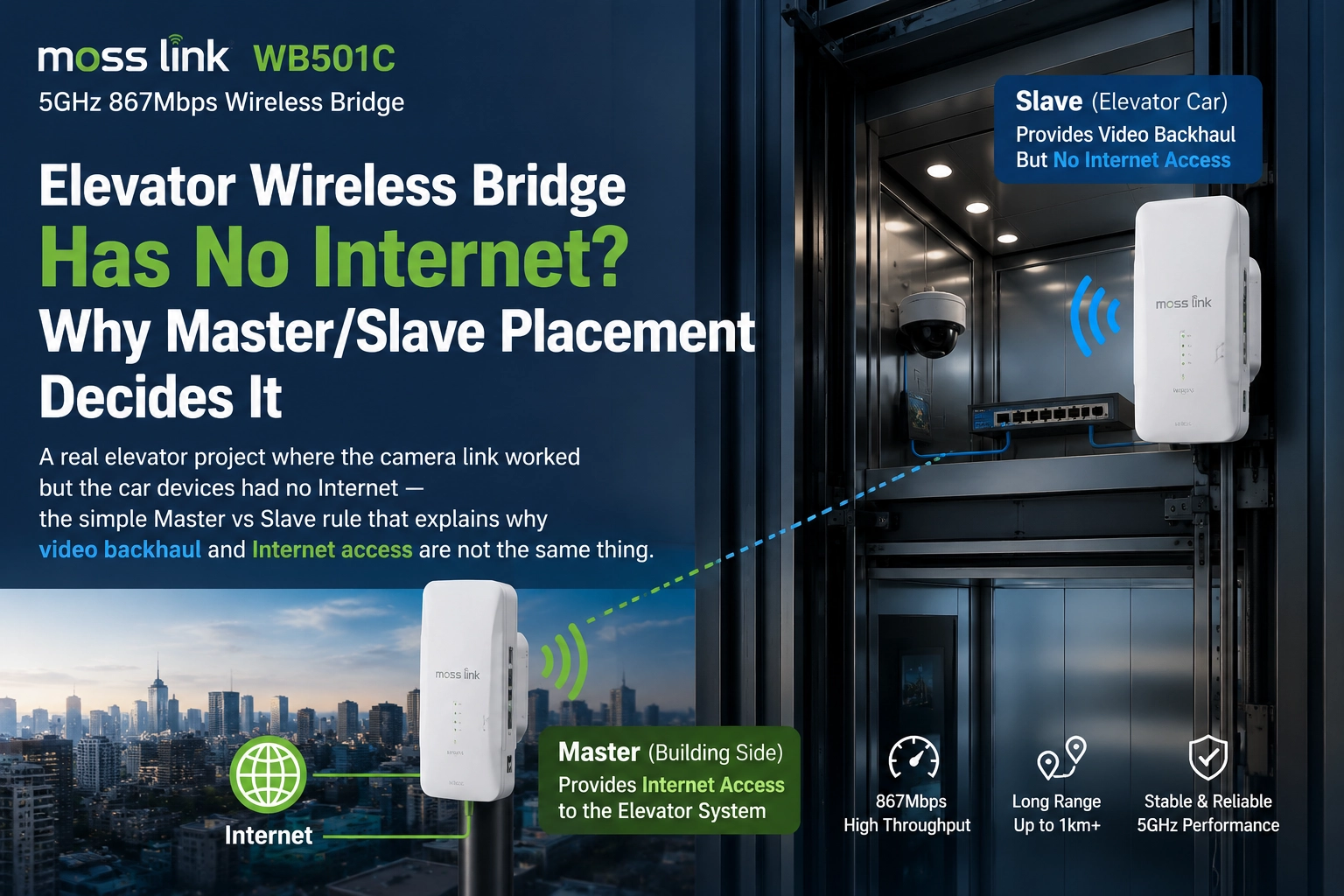
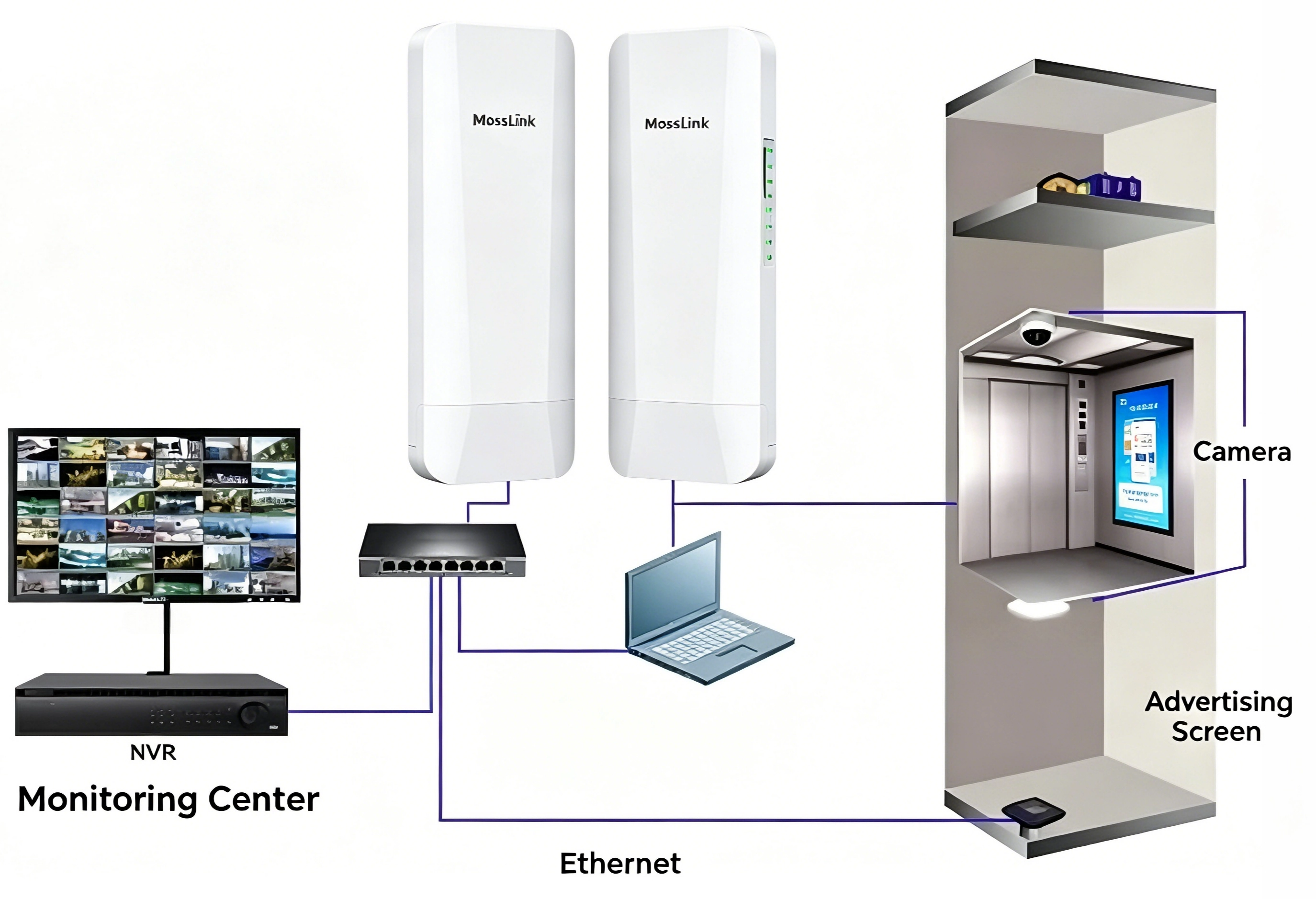
A partner built a standard elevator car monitoring link — IP camera and screen in the car, a small switch, one bridge unit in the car, one unit at the shaft base, and an Internet router upstream. They tested two wiring layouts. The result was clear and repeatable: one direction had Internet, the reversed direction did not — same hardware, same cabling, same PoE.
Customer feedback: “Why does the left connection work but the right one not? I assumed an elevator bridge works regardless of whether the camera is on the Master or the Slave.”
It is a fair question, and the answer is not a hardware fault.
2. The Two Layouts
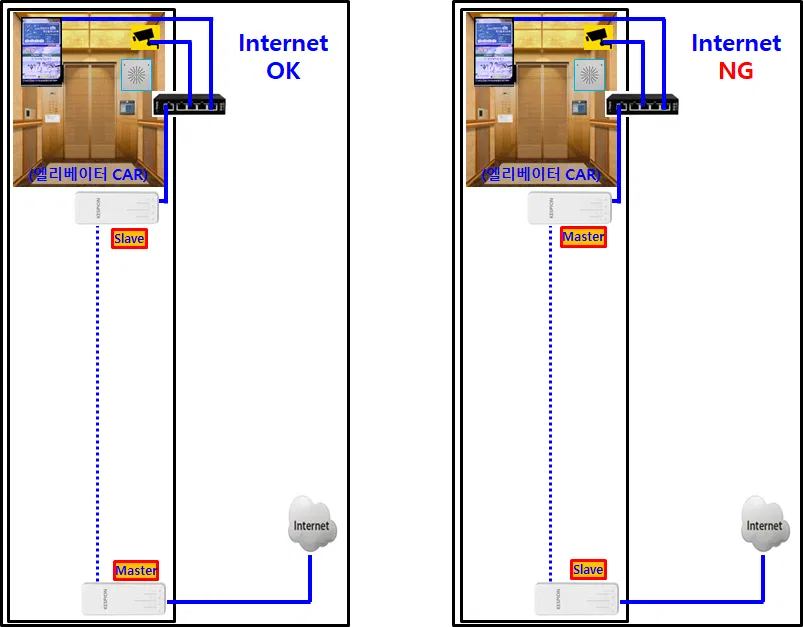
| Layout | Car-side unit | Unit at the Internet router | Result |
|---|---|---|---|
| ✅ Correct | Slave | Master | Internet OK |
| ❌ Wrong | Master | Slave | Internet NG |
The only variable between the two layouts is which physical unit is set as Master.
3. Why — Video Backhaul Is Not the Same as Internet Access
Separate the two requirements; they behave differently:
| Requirement | Master / Slave dependency |
|---|---|
| Video backhaul only (camera → local NVR) | Layer-2 transparent and symmetric — either end can hold the camera; direction does not matter |
| Internet access (cloud / remote view / OTA) | The Master end must connect to the Internet router |
The Master anchors the wireless link and carries the DHCP and default-gateway path; the Slave cannot forward WAN traffic upstream on its own. Pure camera-to-NVR video is point-to-point internal traffic, so it works in both layouts — which is exactly why the link “looks fine.” Internet access depends on the gateway flowing from the Master. Put the Master in the car, away from the router, and that path is inverted: car devices may get an IP but have no usable route out. That is “Internet NG.”
4. Correct Deployment for Elevators
| Item | Master end | Slave end |
|---|---|---|
| Location | Machine room / shaft base / weak-current well | Elevator car (car-top junction box) |
| Wired to | Internet router or PoE switch | Camera + screen + small switch |
| Role | Link manager, IP / routing, WAN forwarding | Edge extension |
Connect the Master LAN port to the router (or to a PoE switch on the router side), and confirm the Master itself has working Internet before pairing the link. One-line field rule: router side = Master, elevator car = Slave.
Match the model to the building — elevator height, camera count, and whether the car needs heavy multimedia/Internet all change the answer:
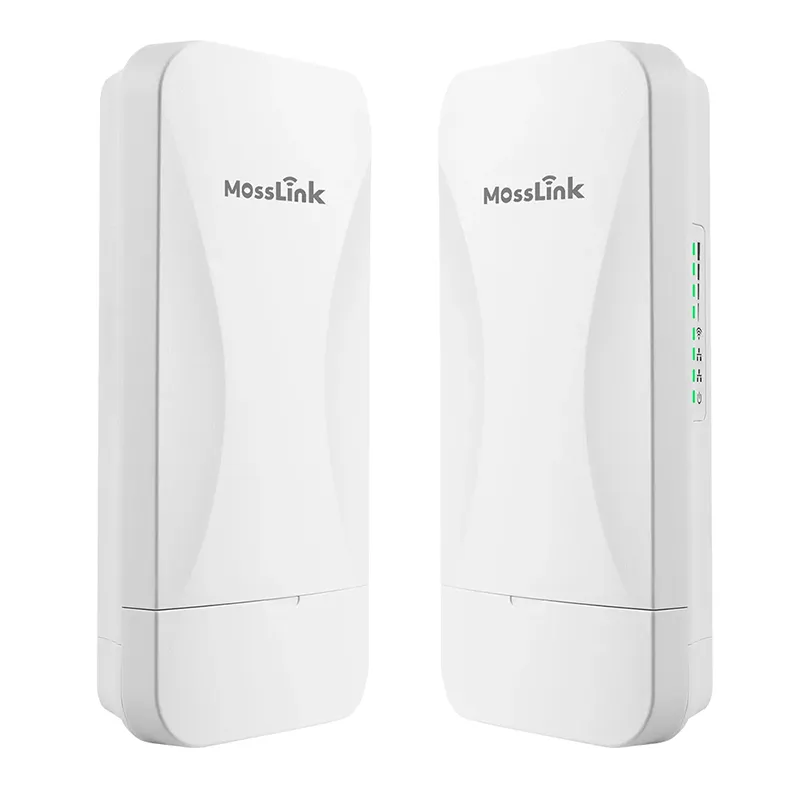
- WB100 — 2.4GHz 300Mbps, digital-tube PtP/PtMP pairing (≤8 nodes, no PC), Main AP / Second AP switch, IP65. Cost-effective monitoring up to ~20 floors, including multi-car banks.
- WB2F01 — 2.4GHz 300Mbps, strong floor/wall penetration, slide-switch Master/Slave, cloud/AC management. The default choice for residential and mixed-use commercial elevators.
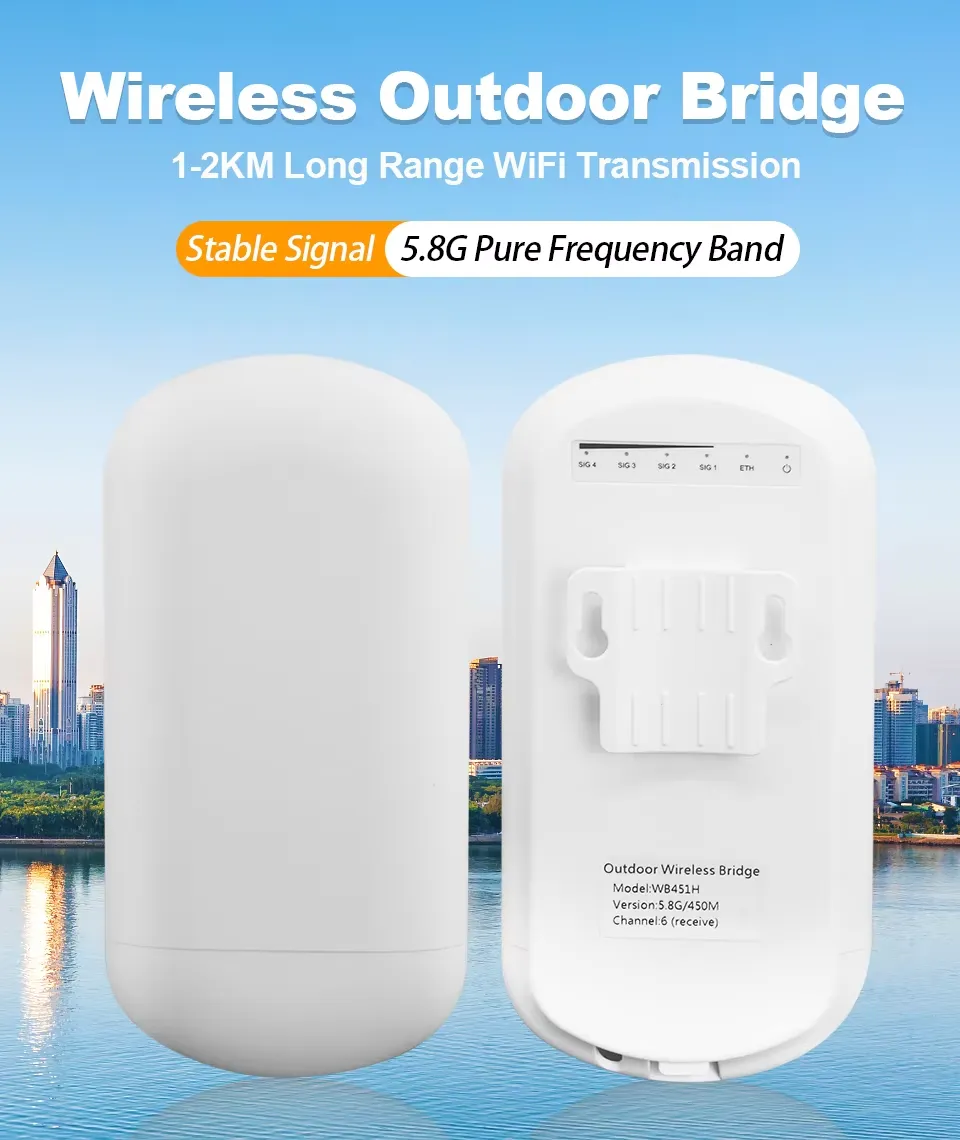
- WB451H — 5.8GHz high-bandwidth directional link with the strongest anti-interference of the three. For Grade-A towers running 4K surveillance plus a 4K in-car ad/info screen that needs real-time Internet.
5. Quick Troubleshooting Checklist
Run these in order before suspecting hardware. Copy this table straight into your project notes:
| # | Check | Expected result / action |
|---|---|---|
| 1 | Where is the Internet router? | The bridge unit cabled to it must be the Master |
| 2 | Master/Slave roles | Exactly one Master and one Slave (verify on the switch / web UI, not by assumption) |
| 3 | Test the Master alone | Plug a laptop into the Master’s LAN — it reaches the Internet. If not, fix the router/uplink first |
| 4 | Wireless link | Link up (LED / RSSI). Local NVR recording proves Layer-2 only — not Internet |
| 5 | Car-side device | Gets a DHCP IP and a default gateway. Ping gateway → public IP → domain |
| 6 | PoE power | Master and Slave both powered with the correct PoE mode (Mode A vs Mode B) |
| 7 | Right model for the load | 4K video + Internet → high-bandwidth bridge (WB451H). An underspecced bridge can pass the role test and still choke |
| 8 | Still failing | Swap roles so the Master sits at the router, re-test. The fix is usually here — not an RMA |
6. FAQ
Q: We only do local monitoring, no Internet. Can we reverse the Master and Slave? Yes. With no Internet requirement the link is pure point-to-point video backhaul, so either end may be Master — placement only becomes critical once the car devices need Internet or cloud access.
Q: The elevator bridge signal is unstable. What should I check? Shaft walls and the car frame are metal and reflect/attenuate 2.4/5.8GHz heavily. Keep the two antennas facing each other along the shaft, mount the car-side unit on the car top (not inside the cabin), and avoid bundling the bridge cable with the traveling power cable. Also confirm PoE mode and power are correct — see the PoE Mode A vs Mode B case.
7. Talk to MossLink
The “records locally but no cloud” symptom is almost never a broken bridge — it is an inverted Master or an IP-planning gap. Fix the role, re-test, no RMA needed. For model selection or a project review, talk to our engineers.
Talk to Our Engineers on WhatsApp
Featured in this guide
Frequently Asked Questions
Practical answers for planning a similar network.
For an elevator wireless bridge, which end should be the Master?
Why does video backhaul work in either direction but Internet does not?
The camera records fine to the local NVR but has no cloud or remote view. Is the bridge broken?
Is OEM/ODM customization available for MossLink elevator bridges?
Plan the complete link
Get a point-to-point wireless bridge kit recommendation
Tell us the distance, throughput, power source, and deployment environment. We will match the bridge pair, PoE, outdoor cable, and mounting accessories.
Continue Planning Your Wireless Link
Deploy with confidence
See how MossLink builds Outdoor CCTV Wireless Backhaul Solution end-to-end
Network architecture, products used, and real-world results in one place.
Tags
Share