A property owner we supply gear to has a six-floor, 40-unit walk-up. Every tenant ran their own $30 router off a different ISP. The result was forty overlapping 2.4 GHz networks screaming over each other, dead spots in every stairwell and on the parking level, and the owner fielding “the WiFi is down” calls he had no way to diagnose — it wasn’t even his equipment. Meanwhile the newer building across the street advertised “high-speed WiFi included” and leased units faster.
The fix isn’t forty better routers. For an apartment building, the right answer is one managed WiFi network that covers every unit, isolates every tenant, and is run from a single dashboard. Here’s how to design and equip it, from the people who ship the access points and switches that go into these buildings.

Why Is WiFi in Apartment Buildings So Hard to Get Right?
Because a stack of independent consumer routers is the worst possible design for a dense building, and that’s the default everywhere.
When every unit runs its own router, you get three problems at once. Interference: dozens of radios fight over the same handful of 2.4 GHz channels in a small footprint, and everyone’s throughput collapses. Dead zones: consumer routers aren’t placed or planned — corridors, stairwells, basements, and parking levels get no coverage because no one owns those spaces. Zero control: when a tenant complains, the owner can’t see anything; each network is a black box on someone else’s account.
Then there’s cost. Forty units each paying $30–50/month for an individual line is $1,400–2,000 a month leaving the building, with the owner getting none of it and managing none of it. A single bulk internet feed split across a managed network usually costs the building a fraction of that — and turns “WiFi” from a tenant headache into an amenity the owner controls.
What Does “Managed WiFi” Actually Mean for an MDU?
It means one professionally designed network for the whole building — multi-dwelling unit, in industry terms — that’s centrally controlled instead of a patchwork of tenant routers.
The architecture is the same in every building, only the scale changes:
Bulk internet feed → gateway router → PoE switch backbone → access points on every floor/unit → isolated per-tenant SSID + VLAN → one management dashboard
One internet circuit comes into the building. A gateway router handles routing and firewall. From there, PoE switches in the electrical/riser closets run a single Ethernet cable to each access point — that one cable carries both power and data, so there’s no electrician needed at every AP. Each access point broadcasts WiFi to its floor or unit, and the whole thing is monitored and configured from one place. Add it up and the building stops being forty problems and becomes one network. The same architecture, laid out floor by floor with the equipment list, is on our managed Wi-Fi for apartments and MDU buildings solution page.
How Many Access Points Does an Apartment Building Need?
As a rule of thumb: one ceiling access point per floor for corridor and common-area coverage, or one in-unit AP per apartment where you’re guaranteeing per-unit speed. The deciding factor is walls, not open distance — concrete floors and unit walls eat 5 GHz fast, so coverage is about how many barriers sit between the AP and the device.
| Building type | AP placement strategy | Typical AP count |
|---|---|---|
| Small walk-up (4–6 floors, studios) | One ceiling AP per corridor floor | 4–6 |
| Mid-size block (40 units, concrete) | Per-floor corridor + APs for thick cores | 6–12 |
| Per-unit guaranteed service / luxury | One in-unit ceiling AP per apartment | 1 per unit |
| Garden / walk-up complex | Indoor APs inside + outdoor APs across grounds | Mixed |
Corridor-mount is cheapest and works well for studios and one-bed units where the door-to-corridor wall is the only barrier. For larger units, thick concrete cores, or buildings where you’re selling guaranteed bandwidth per tenant, put an access point inside each unit. When in doubt, do a quick walk-through with a phone WiFi-analyzer app — the floors with the worst readings tell you where to add a node.
What Equipment Do You Need to Wire a Building?
Four building blocks, sized to the property. Pick for central management and PoE simplicity first — these networks live or die on how easy they are to run after install.
| Role | What it does | MossLink unit |
|---|---|---|
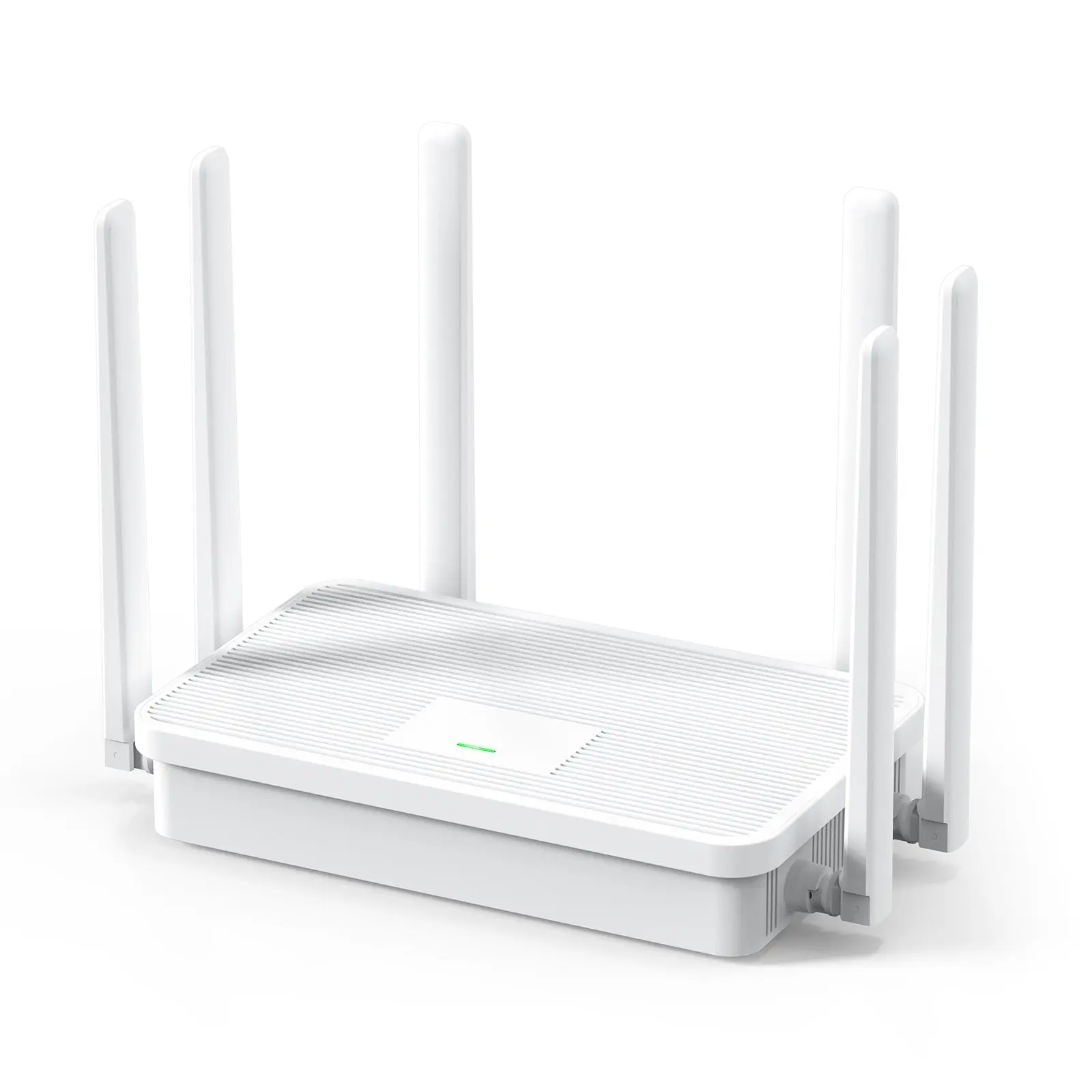
| Gateway router | Routing, firewall, one uplink for the building | WR3000K Wi-Fi 6 AX3000 router |
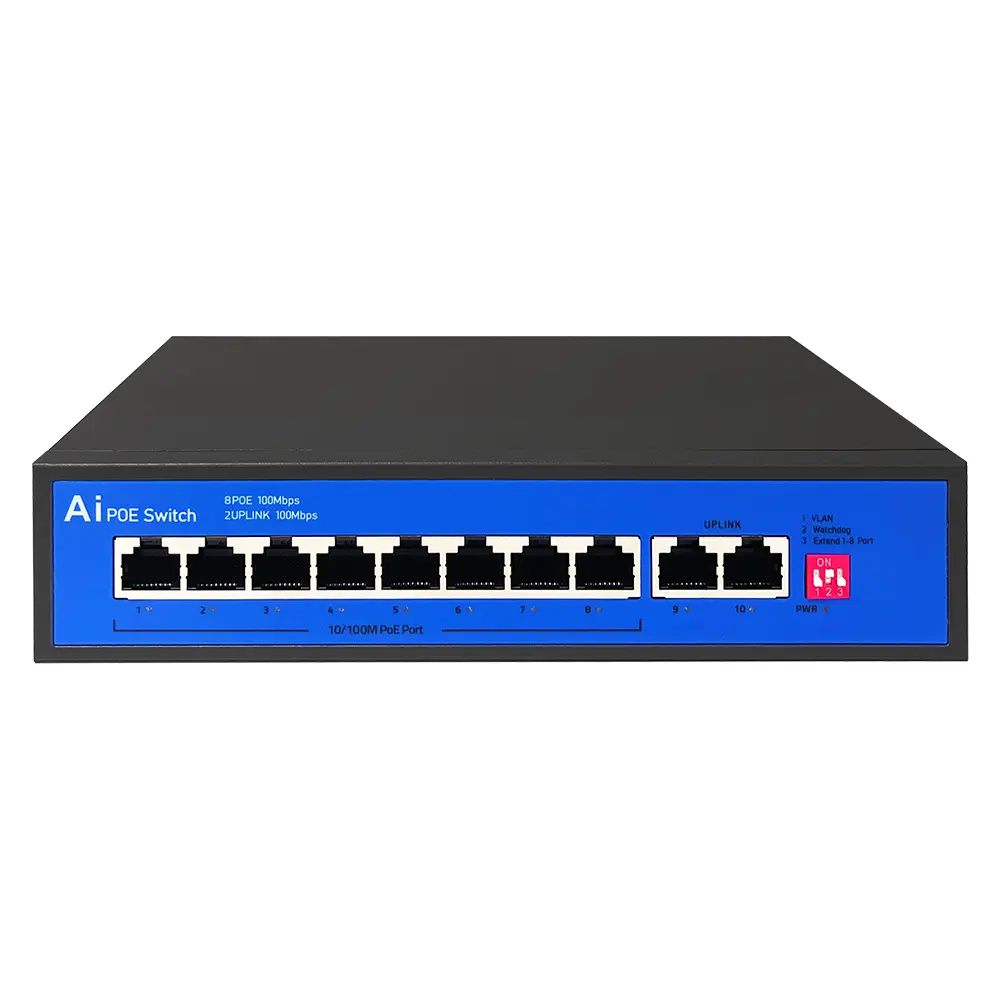
| PoE switch backbone | One cable (power + data) to every AP from the riser | S802E 8-port PoE, 96 W |
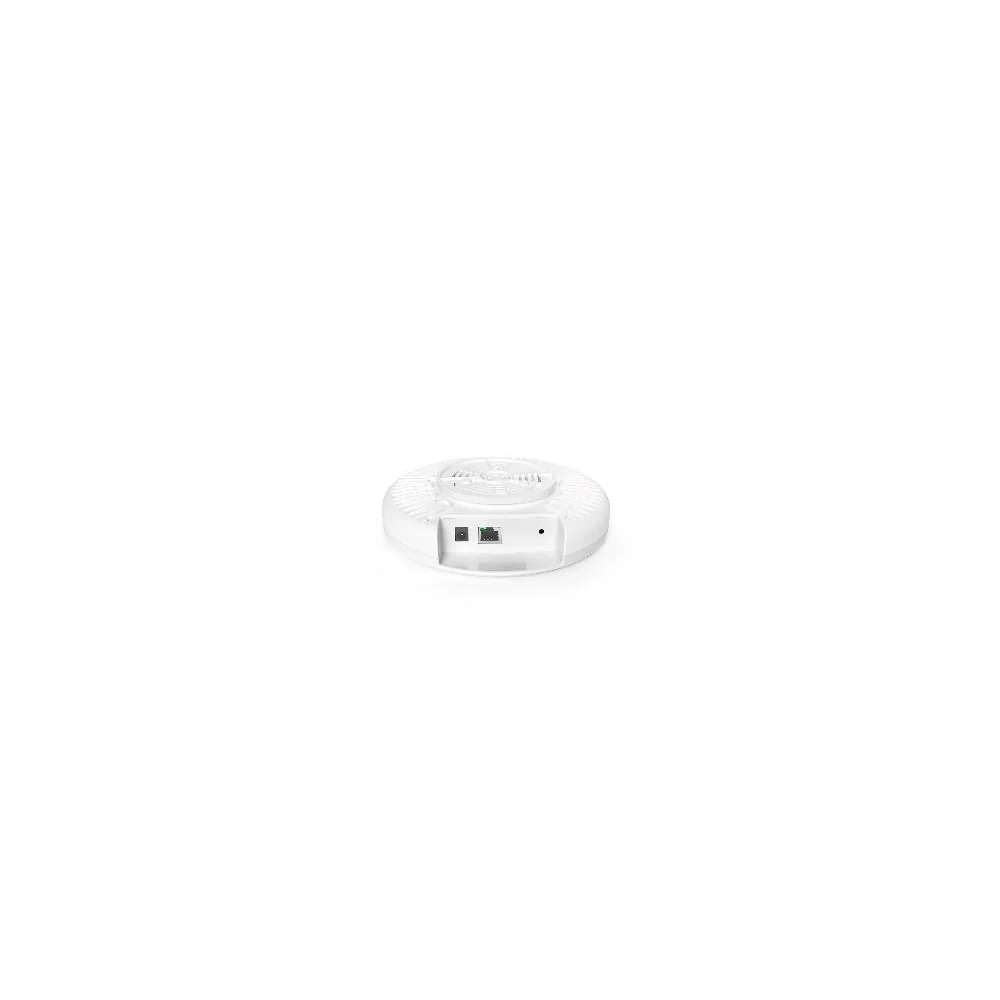
| Indoor coverage | Ceiling APs for corridors and units | XD3001K Wi-Fi 6 indoor ceiling AP |
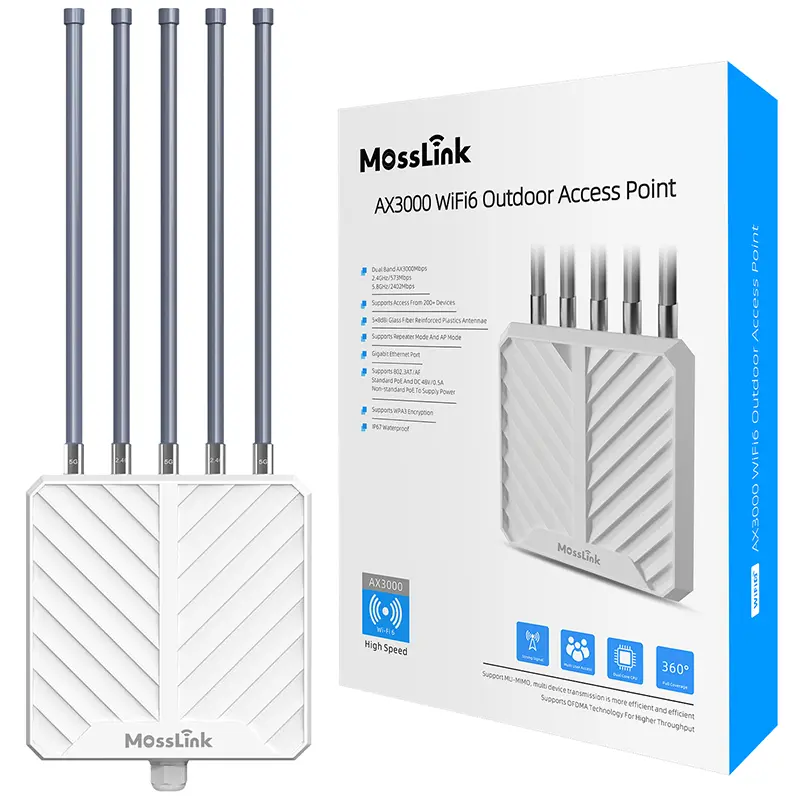
| Outdoor coverage | Courtyards, walkways, parking, amenities | APM6-AX3000 IP67 outdoor AP |
The workhorse indoors is the XD3001K: a dual-band Wi-Fi 6 ceiling access point that mounts flush in a corridor or unit ceiling and pulls power over the same Ethernet cable that carries its data. For the spaces between buildings — garden walkways, courtyards, parking — the IP67-rated APM6-AX3000 handles weather that would kill an indoor unit in a season.
Tying it together is the PoE switch. The S802E drops in a riser closet, powers eight access points down the floors below it on single cables, and its long-reach PoE extends past the usual 100 m limit — useful when a riser run to a far AP is longer than standard Ethernet allows. (Confirm the exact extend distance and per-port budget against the S802E datasheet for your run lengths.)
How Do You Keep Each Tenant Separate and Secure?
Each unit goes on its own VLAN with its own SSID and password, fully isolated from every other unit — even though all of them share the same physical access points and the same uplink.
This is the part that makes one shared network safe to offer as “WiFi included.” A tenant on the third floor can’t see, reach, or interfere with a tenant on the first; their traffic is fenced off at the switch level. It’s the same client-isolation and VLAN segmentation we walk through in our multi-SSID and VLAN traffic-separation guide, applied per unit instead of per department.
If you want tenants to self-onboard or you’re billing for access, the same network runs a captive portal — the mechanism is identical to the voucher/hotspot build in our commercial Wi-Fi with vouchers guide, just pointed at a wired uplink instead of Starlink. That turns building WiFi from a cost line into a revenue line.
Managed Building Network vs. the Alternatives
Owners usually weigh three options. Side by side:
| Approach | Owner control | Coverage | Tenant experience |
|---|---|---|---|
| Per-unit DIY routers | None — black boxes | Patchy, no common areas | Interference, dead halls |
| ISP-managed building deal | Low — vendor owns it | Good, but locked in | Fine, but you don’t control it |
| Owner-managed MossLink network | Full — one dashboard | Planned, whole-building | Private per-unit, monitored |
The per-unit free-for-all is the cheapest to do nothing about and the most expensive to live with. An ISP-managed deal solves coverage but hands the asset — and the margin — to a third party. Owning the network yourself, with off-the-shelf managed access points and switches, keeps both the control and the upside in the building. For owners planning to offer WiFi as an amenity or a billable service, that third path almost always wins.
What We Supply for Apartment-Building Deployments
A few patterns hold across the MDU projects we ship equipment into (figures below are representative — confirm against your own building survey):
Per-floor corridor APs cover studios and one-beds cleanly. A single XD3001K per floor, fed from a riser-closet S802E, blankets the corridor and reaches into the smaller units through a single door-to-hall wall. This is the lowest-cost design and fits most walk-ups.
In-unit APs where you sell guaranteed speed. For larger apartments, thick concrete cores, or premium “managed WiFi included” units, an access point inside each apartment removes the wall problem entirely and lets you guarantee per-unit throughput.
Outdoor APs handle the spaces nobody plans for. Garden complexes, courtyards, and parking levels need IP67 outdoor access points, not indoor units pushed past their limits — the amenity coverage tenants notice is often outdoors.
One dashboard is the whole point. The reason to build this instead of tolerating tenant routers is centralised control — push config, see every AP, and fix a complaint without a truck roll. That central management is the same model we cover in managing access points remotely from one place, and it’s what makes a building network sustainable to run after the installers leave. Hotels solved this problem first; if your property leans hospitality-style, our hotel WiFi system design guide covers the same architecture at amenity scale.
The Bottom Line
An apartment building doesn’t need better tenant routers — it needs to stop using them. One managed network, with a ceiling access point per floor or per unit, a PoE switch backbone in the riser, and every tenant fenced onto their own VLAN, turns “the WiFi is down” calls into an amenity the owner controls and can even bill for.
Plan coverage by walls not distance, power every AP over one cable, isolate every unit, and run it all from one dashboard.
Equipping an apartment building, complex, or MDU portfolio? Tell our engineers your building on WhatsApp — number of units, floors, and construction — and we’ll spec the access points and switches. Or contact us for volume pricing, MDU bundles, and OEM/ODM options for ISPs and managed-WiFi operators.
Featured in this guide
Frequently Asked Questions
Practical answers for planning a similar network.
How much does WiFi for an apartment building cost?
How many access points does an apartment building need?
What's the difference between managed WiFi and individual unit internet?
Can each tenant have their own private WiFi on a shared network?
Do I need outdoor access points for an apartment complex?
Deploy with confidence
See how MossLink builds 4G LTE CPE Router Supplier & Manufacturer end-to-end
Network architecture, products used, and real-world results in one place.
Tags
Share