A WISP operator in Manila replaced his 5.8GHz backbone links with 6GHz bridges expecting a “free” throughput boost. The new bridges delivered 30% higher peak speed in testing. In production, the improvement was less than 10% — his bottleneck was the internet uplink, not the wireless link.
He spent $3,000 replacing equipment that was working fine. The 5.8GHz bridges he removed had been delivering 500 Mbps on a 200 Mbps internet pipe. The 6GHz bridges now delivered 650 Mbps on the same 200 Mbps pipe. His subscribers noticed zero difference.
Wi-Fi 6E (6GHz) bridges are genuinely better technology. But “better technology” does not always mean “better investment.” This guide covers when the upgrade delivers real value and when you should keep running 5GHz.
What Does 6GHz Actually Change?
More spectrum, wider channels
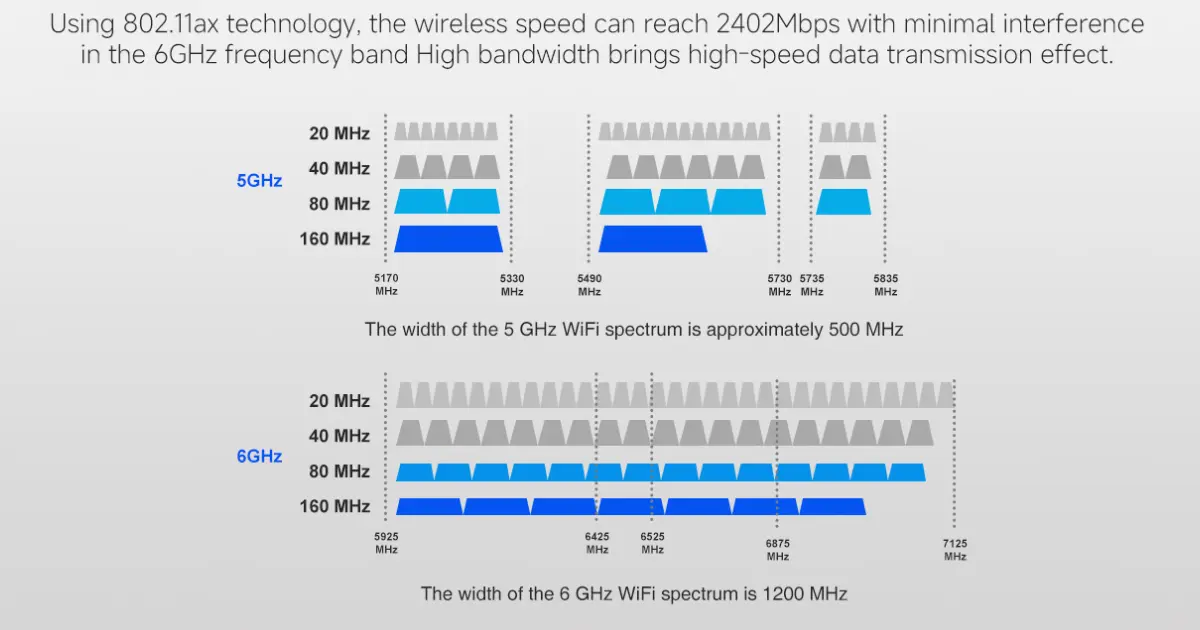
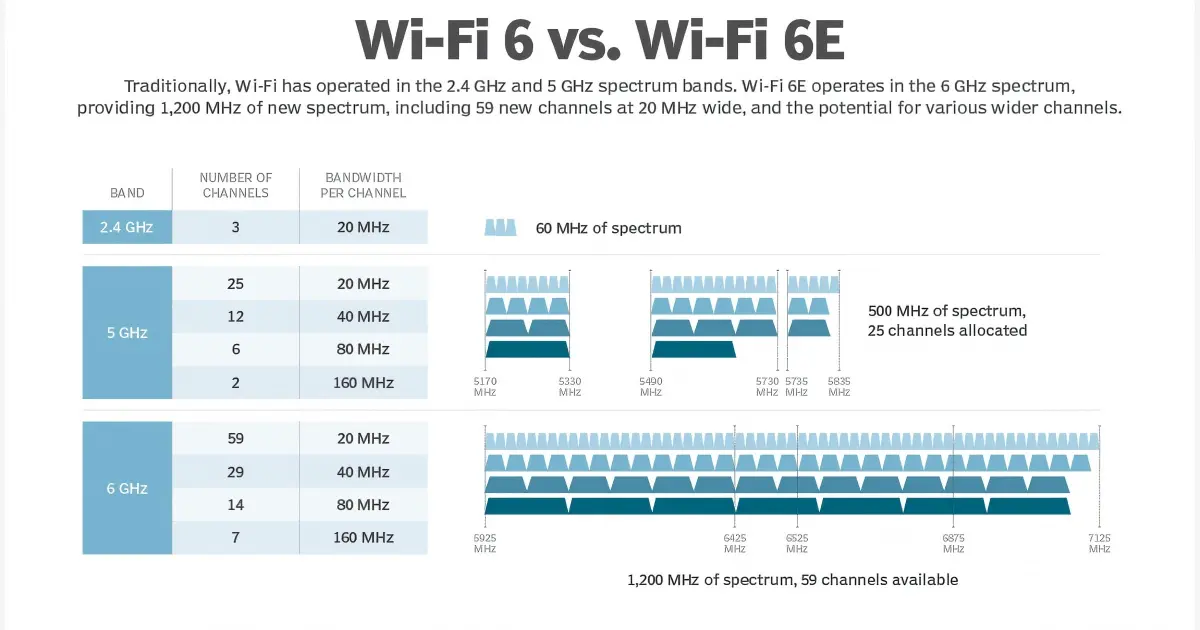
The 6GHz band (5.925-7.125GHz) opens 1,200MHz of new spectrum — more than double what 5GHz provides. This means:
| Metric | 5GHz | 6GHz | Improvement |
|---|---|---|---|
| Available spectrum | 500MHz | 1,200MHz | 2.4x |
| 160MHz channels | 2 (with DFS) | 7 | 3.5x |
| Non-overlapping 80MHz channels | 6 | 14 | 2.3x |
| Maximum PHY rate (2x2 MIMO) | 2,402 Mbps | 2,402 Mbps | Same |
| Maximum PHY rate (4x4 MIMO) | 4,804 Mbps | 4,804 Mbps | Same |
Important: the PHY rate is the same at the same channel width and MIMO configuration. 6GHz does not make the radio faster — it gives the radio more clean channels to use.
Clean spectrum (for now)
5.8GHz is crowded. In urban and suburban areas, dozens of WiFi networks, wireless bridges, and other devices compete for the same channels. This interference raises the noise floor and reduces effective throughput.
6GHz is nearly empty today. No legacy devices operate there. A 6GHz bridge gets a clean channel with minimal interference — resulting in higher real-world throughput and more stable connections.
The caveat: 6GHz will not stay empty forever. As Wi-Fi 6E and Wi-Fi 7 devices proliferate, the spectrum will fill up. The “clean channel” advantage is a 3-5 year window, not a permanent benefit.
No DFS
5GHz bridges on channels 52-144 must implement DFS (Dynamic Frequency Selection) — radar detection that forces the bridge to change channels when it detects radar signals. This causes brief link drops (1-2 seconds per event) and limits usable channels in areas near airports and military installations.
6GHz has no DFS requirement in most countries. The link stays on its assigned channel without interruption.
When Should You Upgrade to a 6GHz Bridge?
Scenario 1: Dense urban PtP links
If you are operating multiple bridge links in an urban area where 5.8GHz is congested, 6GHz provides clean spectrum that eliminates the interference dragging down your 5GHz links.
Signs you need 6GHz:
- Your 5GHz bridge throughput has dropped 20-30% over the past 2 years (more devices competing)
- Spectrum scans show 10+ other 5GHz networks visible from your bridge location
- You experience periodic throughput drops that correlate with neighboring network activity
- DFS events force frequent channel changes, causing brief disconnections
Scenario 2: Short-range, maximum throughput
6GHz performs best at shorter distances. The higher frequency attenuates faster over distance than 5GHz, so the range advantage of 5GHz becomes significant beyond 5km.
For links under 5km where you need maximum throughput — data center interconnects, building-to-building backbone in a campus, high-bandwidth backhaul for dense AP clusters — 6GHz with 160MHz channels delivers the highest real-world speeds.
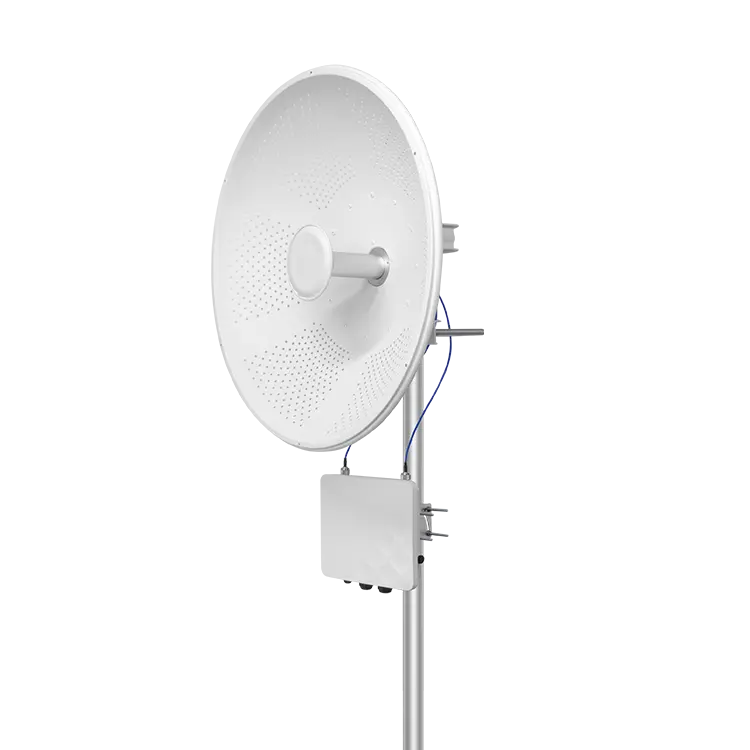
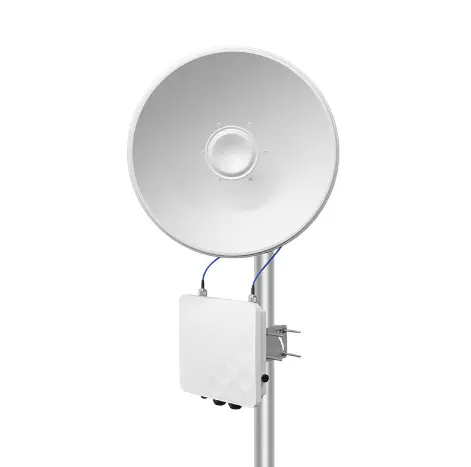
The WB6axH6-20 operates on 6GHz with 20dBi gain. At 3km, it delivers 1,200+ Mbps real throughput on a 160MHz channel — roughly 40% more than a comparable 5GHz bridge at the same distance, thanks to the cleaner spectrum.
Scenario 3: Future-proofing new installations
If you are installing a brand-new bridge link (not replacing an existing one) and the distance is under 8km, 6GHz is worth the investment for new builds. The equipment cost premium is 20-30% over comparable 5GHz bridges, and you get a link that will remain competitive as 5GHz spectrum becomes more congested.
When Should You Stay on 5GHz?
Long range (above 8km)
Higher frequency = more free-space path loss. At 6GHz, the path loss is 1.7dB higher than at 5.8GHz per kilometer. Over 15km, that adds up to 5-6dB — a significant link budget penalty.
For long-range links (10-30km), 5GHz bridges like the WB5axH6-35 remain the better choice. The 33dBi dish, Wi-Fi 6 with OFDMA, and 900+ Mbps real throughput at 20km are not matched by any 6GHz product currently available.
Rural areas with no interference
If your 5GHz bridge is in a rural area with no competing signals, you are already getting clean spectrum. Switching to 6GHz gains you nothing — the interference advantage disappears when there is no interference to avoid.
Existing links working well
If your 5GHz bridge delivers the throughput you need reliably, there is no ROI in replacing it. Equipment replacement has a cost (new hardware, installation labor, downtime during cutover) that is only justified if the new equipment solves an actual problem.
The WISP operator in Manila learned this the hard way. His 5GHz links were not the bottleneck — his internet uplink was. Upgrading the bridges did not improve what his subscribers actually experienced.
Regulatory uncertainty
6GHz regulations vary by country and are still evolving. In some countries, 6GHz outdoor use is restricted or requires low power (LPI — Low Power Indoor) mode. Before deploying outdoor 6GHz bridges, verify that your country permits standard-power outdoor operation on 6GHz.
As of 2026, the US, EU, UK, and several Asian countries allow standard-power 6GHz outdoor operation. Many African and Middle Eastern countries have not yet finalized 6GHz regulations.
How Do 6GHz and 5GHz Bridges Compare?
| Spec | WB6axH6-20 (6GHz) | WB5axH6-35 (5GHz) | WB5acH6-29 (5GHz) |
|---|---|---|---|
| Frequency | 6GHz | 5GHz | 5GHz |
| Standard | Wi-Fi 6E (802.11ax) | Wi-Fi 6 (802.11ax) | 802.11ac Wave 2 |
| Antenna gain | 20dBi | 33dBi | 29dBi |
| Max throughput (real) | 1,200 Mbps @ 3km | 900 Mbps @ 20km | 500 Mbps @ 15km |
| Effective range | 5-8km | 15-30km | 10-20km |
| DFS required | No | Yes (5.25-5.725GHz) | Yes |
| Spectrum congestion | Clean (today) | Increasingly congested | Congested in urban |
| IP rating | IP67 | IP67 | IP67 |
| Best for | Short-range backbone, urban, campus | Long-range backbone, WISP, rural | Mid-range, budget backbone |
Which Bridge Should You Choose?
| Your Situation | Recommended |
|---|---|
| New link, under 5km, urban | 6GHz (WB6axH6-20) |
| New link, under 5km, rural | 5GHz (cost savings, no interference anyway) |
| New link, 5-15km | 5GHz (WB5acH6-29 or WB5axH6-35) |
| New link, 15-30km | 5GHz (WB5axH6-35) |
| Replace existing 5GHz, urban congestion | 6GHz (WB6axH6-20) |
| Replace existing 5GHz, working fine | Do not replace |
| Multiple links on same tower, urban | 6GHz (more non-overlapping channels) |
For bridge selection by distance and CCTV camera count, see our CCTV wireless bridge buying guide. For antenna selection (grid vs dish) at long range, see our grid vs dish antenna guide.
Next Steps: Evaluate Your 6GHz Upgrade
Before spending on new equipment:
- Run a spectrum scan at your bridge location — if you see fewer than 5 competing 5GHz networks, congestion is not your problem
- Check your bottleneck — if your internet uplink is slower than your current bridge throughput, upgrading the bridge changes nothing
- Measure your link distance — 6GHz only makes sense under 8km; beyond that, stick with 5GHz
- Compare the cost — the WB6axH6-20 is 20-30% more than comparable 5GHz bridges
Need help deciding? Send us your current bridge model, link distance, and throughput requirements — we will tell you honestly whether 6GHz improves your situation.
Talk to Our Engineers on WhatsApp
Tags
Share